
The impression and symptom fields on the Assessment tab (Primary Symptom, Other Associated Symptoms, Provider's Primary Impression, Provider's Secondary Impressions) each show the standard NEMSIS list first. If nothing in the NEMSIS list matches, CloudPCR falls back to the national ICD-10-CM code list so you can still search by name without memorizing codes.
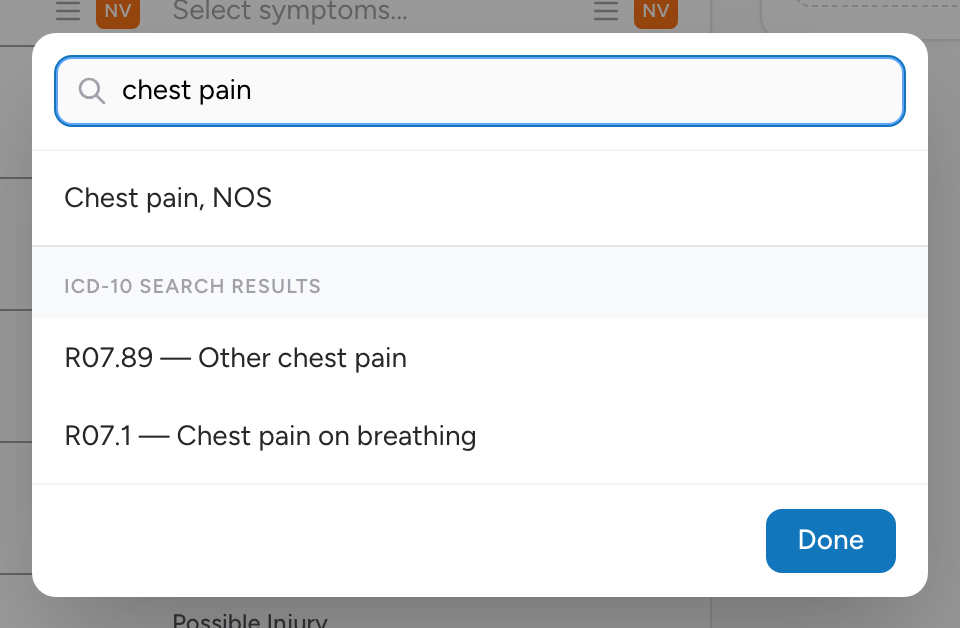
How to search
- Click in the impression or symptom field.
- Type the first few letters of the condition.
- Matching results from the NEMSIS list appear first. Keep typing to see additional ICD-10 results if nothing in the NEMSIS list matches.
- Pick the right one.
You can search by the name of the condition or by the ICD-10 code itself if you know it.
An example
You type "chest pain unspec" in the Provider's Primary Impression field. CloudPCR shows "R07.9 — Chest pain, unspecified." You pick it.