
The CMS Codes section on the Billing tab is where you record the Medicare-specific fields that your billing team needs to file a clean CMS claim. Get these wrong and CMS denies the claim or flags it for audit.
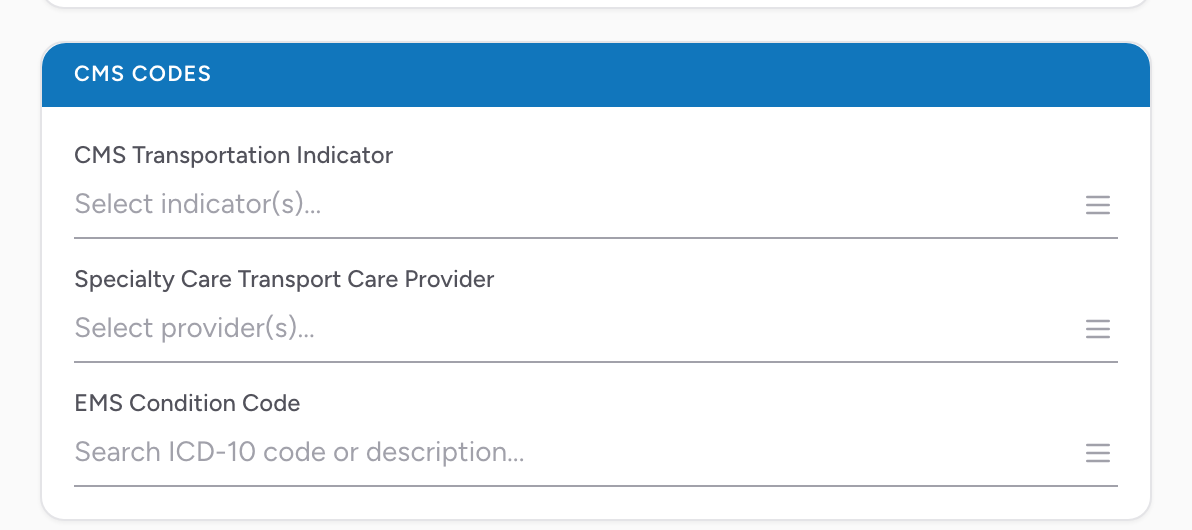
The fields
- CMS Transportation Indicator — multi-select. Pick every indicator that applies to this transport. These codes describe why the transport qualified for ambulance transport under CMS rules (for example, patient was bed-confined, transport for a covered service, multiple-patient loading).
- Specialty Care Transport Care Provider — multi-select. Fill in if the transport was SCT (Specialty Care Transport) and staffed above paramedic level — pick every specialty on the crew (critical care nurse, respiratory therapist, physician, etc.). Leave empty for BLS and standard ALS.
- EMS Condition Code — multi-select with search. Start typing an ICD-10 code or description and CloudPCR searches the ICD-10-CM list. Pick every code that describes the patient's condition on this transport.
Who fills these in
If your agency outsources billing, your billing partner usually sets CMS Transportation Indicator and EMS Condition Code from the rest of the PCR. If your agency does its own CMS billing, someone on your billing team needs to own this section — the codes have to match the clinical narrative or the claim bounces.
Why this matters
CMS audits ambulance claims for medical necessity. A claim with a transport level that does not match the condition codes is exactly the kind of thing an auditor flags. A claim can be denied or clawed back months after payment. Document the codes that match what you actually did and what the patient actually needed.
Important: If your agency gets a CMS audit letter asking about a specific transport, the PCR and the CMS Codes section are the primary evidence. Do not leave this section blank on Medicare claims.