
The Devices event type records NEMSIS medical-device events — cardiac monitor, defibrillator, and pacer events, including the ECG leads you captured, waveform uploads, shocks delivered, and pacing settings.
Note: The Devices entry type is hidden unless your agency has turned it on. If you do not see a way to add a device on the Timeline, your agency has not enabled it.
Add a device event
- On the Timeline tab, click Entry and add a device event, or switch to Legacy view and click + Device.
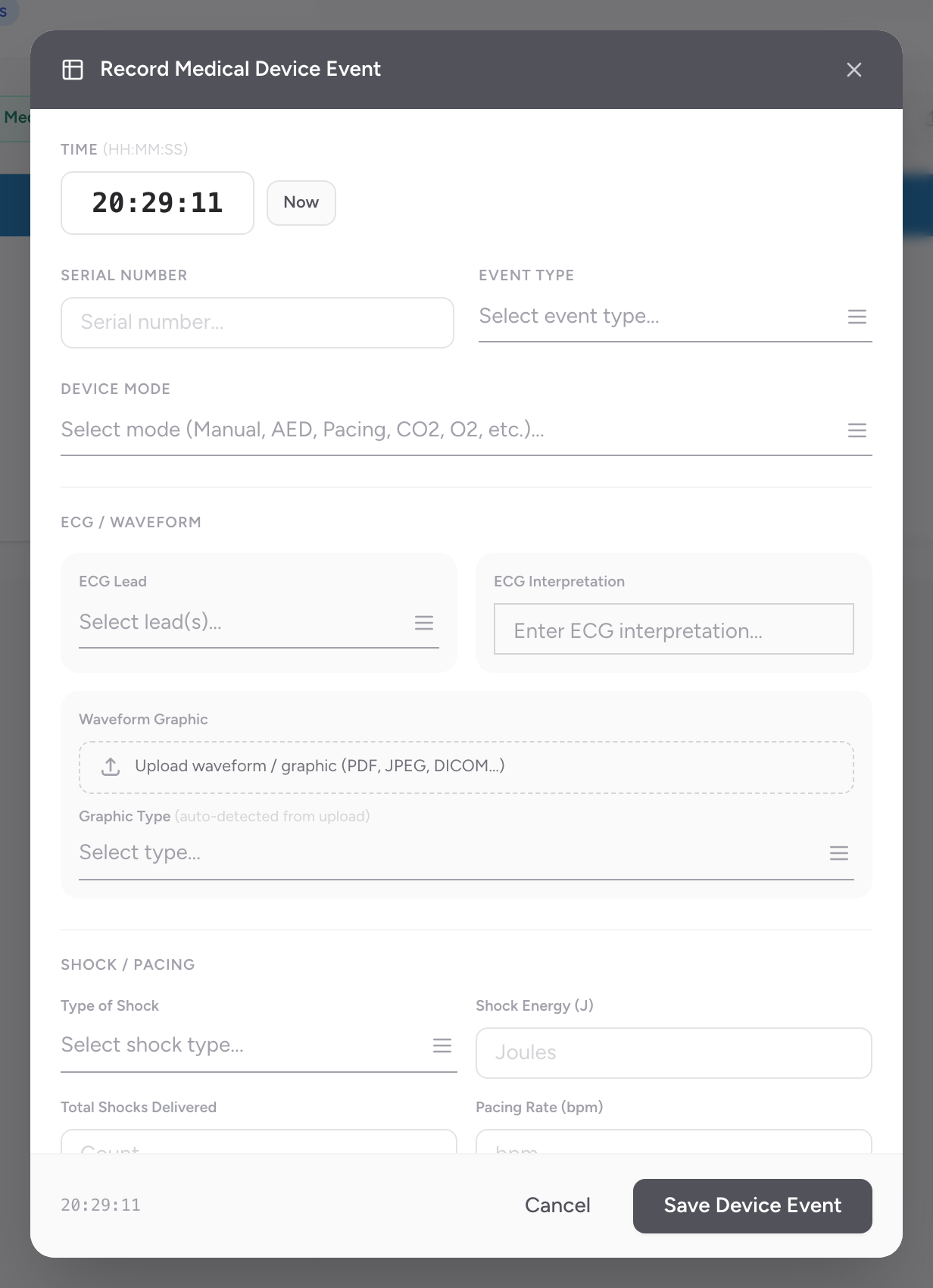
- The Record Medical Device Event modal opens.
- Enter the Time, or click Now.
- Enter the device Serial Number.
- Pick the Event Type.
- Pick the Device Mode from the list.
- Under ECG / Waveform: pick the ECG lead(s), enter an ECG interpretation, and upload a waveform graphic (PDF, JPEG, DICOM, etc.) — the graphic type auto-detects from the file.
- Under Shock / Pacing: pick the Type of Shock, enter Shock Energy (J), Total Shocks Delivered, and Pacing Rate (bpm) as applicable.
- Click Save Device Event.
Where this data comes from
Most of these fields are what a cardiac monitor records for you. If your agency uses a Stryker or Zoll cardiac monitor, the Import button at the top of the Timeline can attach monitor data to the PCR automatically — no manual entry needed. Manual device events are for cases where you need to document monitor activity that did not come across the import, or when an import is not available.