
When to undo an import
Undo an import when the file was wrong: the counts were off, the drugs landed in the wrong safe, the lot numbers were mixed up, or the same file went in twice. One click puts everything back as it was before the upload.
Before you start: An undo only works while all of the imported stock is still where the import put it. If a crew has already checked out a box and used or replaced some of it, the undo is refused and you correct those lines by hand.
How to undo an import
- Click Inventory in the menu, then Import.
- If you just ran the import, click Undo this import in the yellow box under the result counts. For an earlier one, scroll to Recent imports and click Undo on its row. The list shows the last ten uploads with the file name, who ran it, and how many rows imported.
- Read the confirmation, then click Undo import.
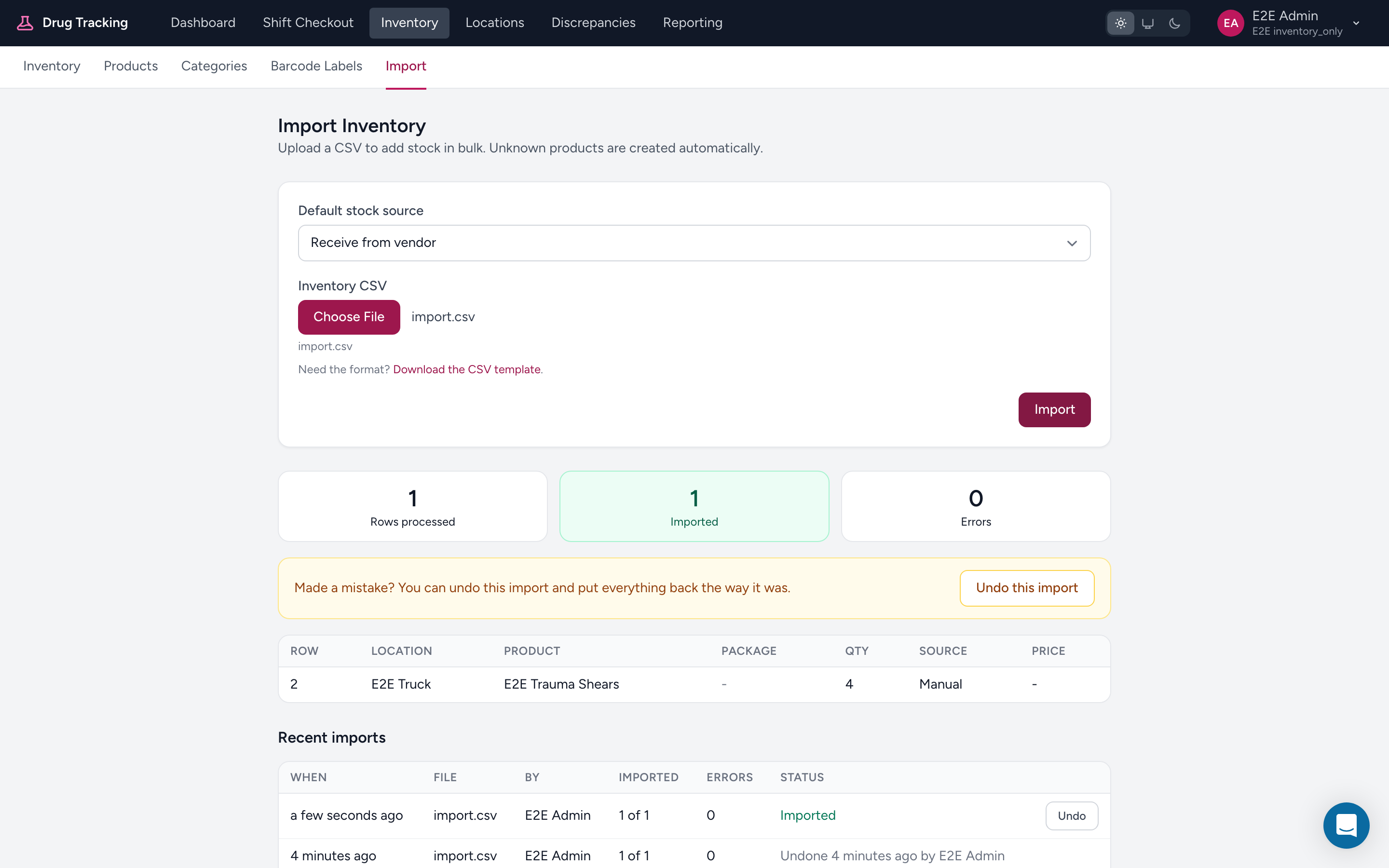
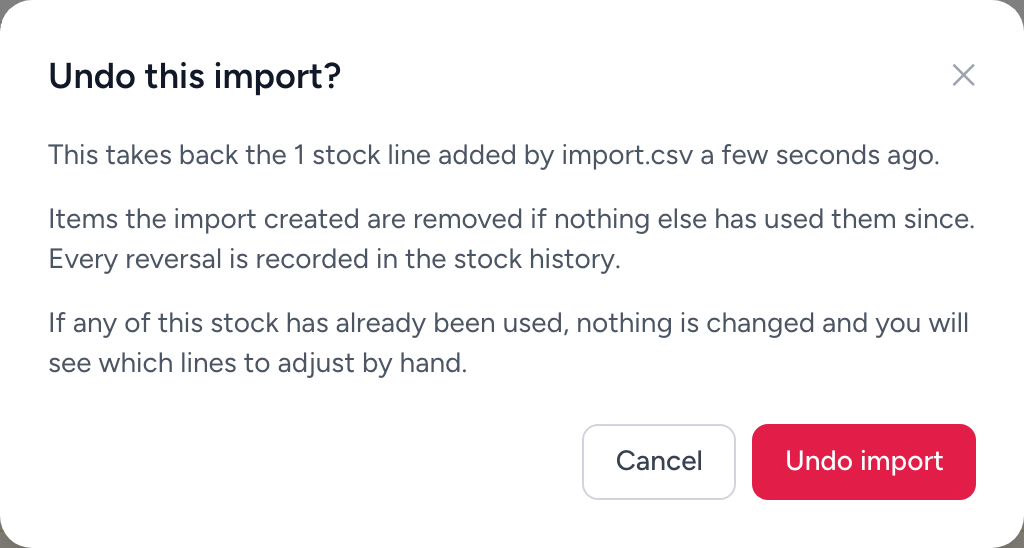
A message at the top of the page confirms the result, for example "Import undone: 3 stock lines reversed." The import's row under Recent imports changes to Undone with the time and the name of the person who undid it. An import can only be undone once.
Fixing one line instead
If only one row was wrong, click Fix a line (next to Undo). It lists every line of that import. Undo on a line takes that stock back out and leaves the others alone. Fix opens the line's values; correct them and click Replace line, and the old stock comes out as the corrected row goes in, under the same import. For a controlled substance both halves land in the controlled substance log. A line whose stock has already been drawn cannot be undone, and the message names it.
What the undo reverses
- Stock. Each imported line is taken back out of the same location and lot. The location history keeps both the import line and a matching removal noted "Import #12 undone".
- The controlled substance log. For a scheduled drug, the removal is logged the same way the import was, with the lot number and your name. Nothing is deleted from the log; the reversal is added to it.
- Items the import created. A supply item the importer created is deleted again if nothing else has used it since. Drugs that were already on your formulary are never removed, only their imported stock.
- Prices. Any unit prices the import recorded are removed from the price history.
When an undo is refused
If any of the imported stock has been used, moved, or replaced, the undo makes no changes and shows a message like:
Some of this stock has already been used, so the import cannot be undone as a whole. Adjust these lines by hand instead: Fentanyl 100 mcg at Station 4 Safe: 18 of the 20 imported still on hand.
The message names every short line, and an Undo the rest button appears under it. Click it to take back every line that is still on hand and leave the short lines as they are, which is usually right when the missing stock was already removed or wasted. To correct things one at a time instead, open each location and use Remove on the row, with a reason.
Worked example
The supply officer imports the quarterly order, then realises the midazolam lot numbers were swapped between the two rows.
- He clicks Undo this import on the result screen and confirms with Undo import.
- The page reports 3 stock lines reversed. The safe's Contents list is back to what it showed before the upload, and the controlled substance log shows the three receipts and three matching reversals.
- He fixes the two lot numbers in the file and uploads it again.
Tips
- Check the result table before anyone checks out a box. The sooner you undo, the less chance a crew has drawn from the new stock.
- Undo before uploading a corrected file. A second upload on top of the first doubles the count.
- An undo is a recorded event, not an erasure. Auditors can still see the import, the reversal, and who did each.