
What locations are
A location is any place where drugs are stored. Drug Tracking organizes locations in a hierarchy, meaning locations can be nested inside other locations. This mirrors how storage works in real life.
The hierarchy
Here is a typical example of how locations nest:
- Station 4 (facility)
- Station 4 Drug Room (room)
- Cabinet A (shelf/cabinet)
- Controlled Substance Safe (secure storage)
- Medic 12 (vehicle)
- Main Drug Box (compartment)
- Narcotics Tray (sub-compartment)
- Cardiac Tray (sub-compartment)
- RSI Kit (sub-compartment)
- Airway Bag (bag)
- Main Drug Box (compartment)
- Station 4 Drug Room (room)
Why nesting matters
When you start a checkout on a location, all of its child locations are included automatically. If you check out "Main Drug Box," you will also check the Narcotics Tray, Cardiac Tray, and RSI Kit inside it. You do not need to start separate checkouts for each compartment.
Browsing locations
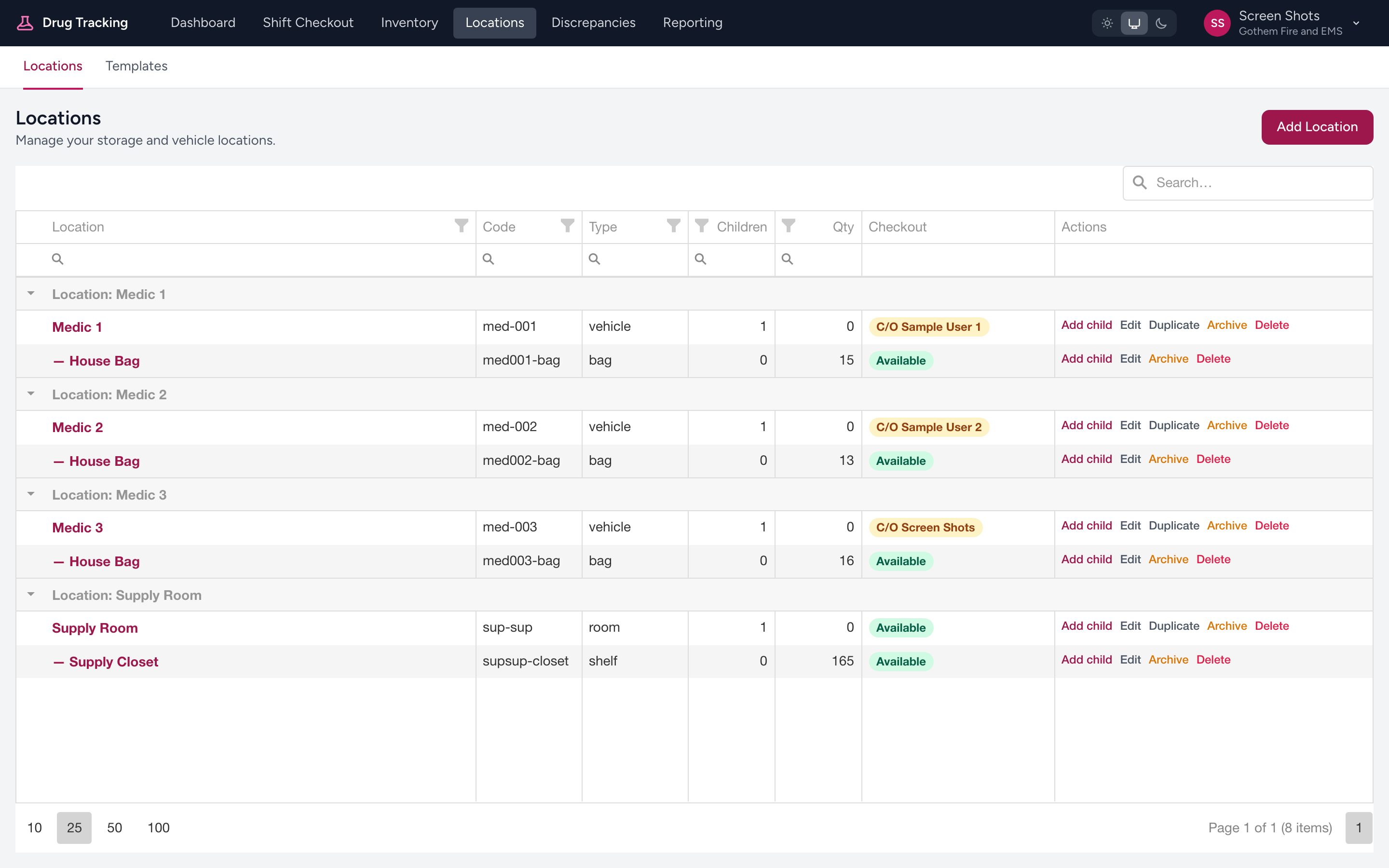
Admins open Locations from the menu to see the agency's locations grouped by site. Click into any location to see what is nested inside it. A second row of links next to Locations includes Templates for managing stocking templates. Use Add location to create a new one.
Who manages locations
Locations are set up by your agency admin. The Locations menu item only appears for admins. If a location is missing or named wrong, ask your admin to update it.
Tip
The hierarchy should match your physical setup. If your Medic 12 has three trays in the drug box, there should be three sub-locations under that drug box in the system. When the digital layout matches the physical one, checkouts are faster and less error-prone.